Import from Banktrack
Banktrack exports all your transactions in one file, and Whisper Money knows its layout: the columns, the accounts and the categories are filled in for you, so moving over is mostly a matter of checking.
Quick start
- In Banktrack, download your transactions as CSV or Excel, with no filters on.
- In Whisper Money, open Settings → Import from another app and Start import.
- Choose Banktrack and upload the file as it is.
- Check the accounts and the categories.
- Import.
The full import is open while you set up your account and for 15 days after. See Import from another app for how every step works.
Export your data from Banktrack
According to Banktrack's help center, the Descargar button in its Transacciones module downloads the transactions you see, as PDF, CSV, XLSX or JSON. Choose CSV or XLSX.
The download follows the filters you have on, so before you click it:
- Leave the bank and account filter empty, so every account is in the file.
- Pick the widest period, so every year is in it too.
Then upload the file as it comes. There is no need to open it, rename columns or delete rows.
How the columns are read
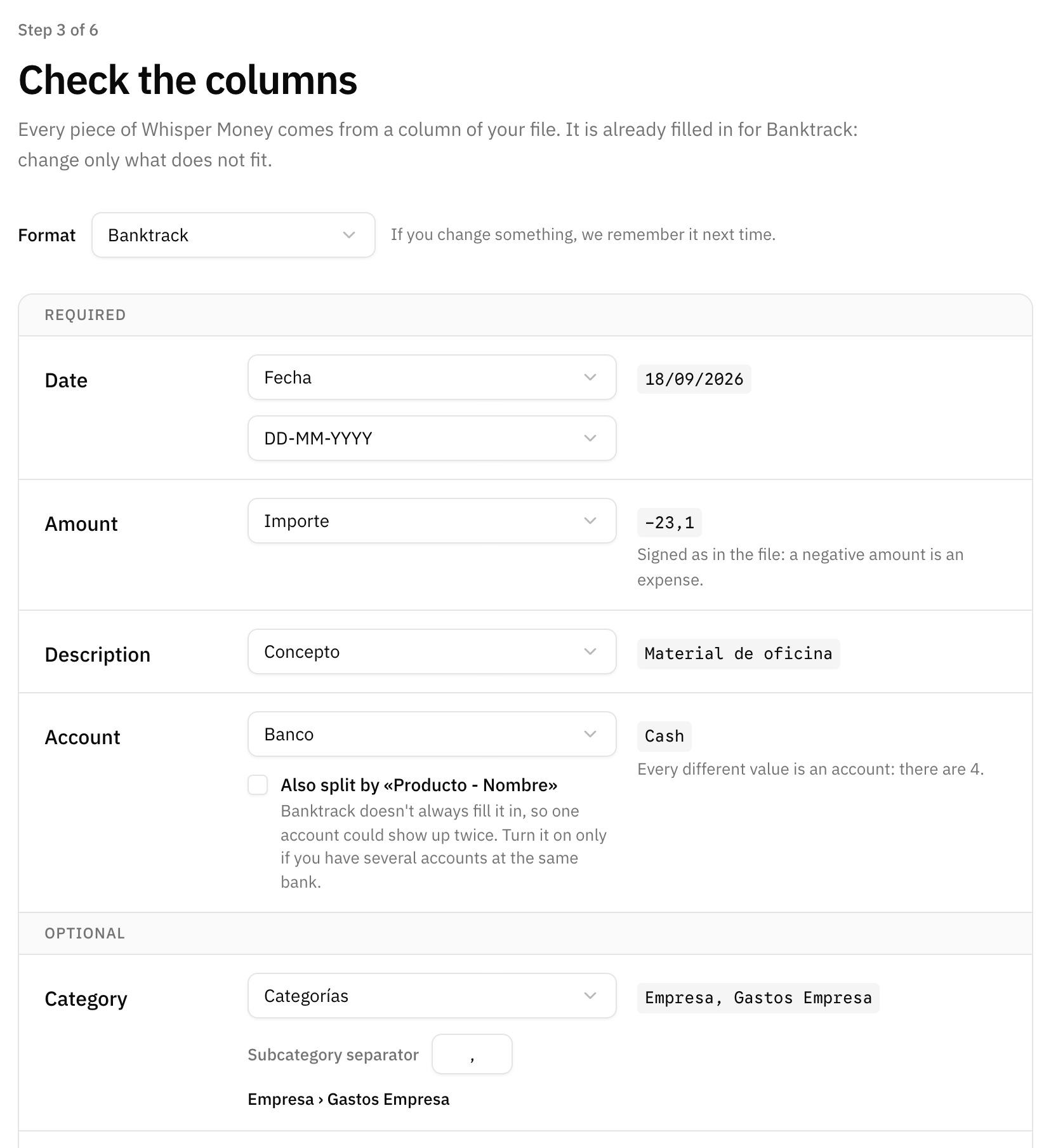
| Banktrack column | In Whisper Money |
|---|---|
| Fecha | The date, usually day/month/year; the format is detected and can be changed. |
| Concepto | The description. |
| Descripción | The notes, when it says something the concept does not. When the concept is empty, it becomes the description. |
| Importe | The amount, with its decimal comma and its sign. |
| Banco | The account: one per different value. |
| Producto - Nombre | Only if you turn on the split described below. |
| Categorías | The category, split at the comma into a category and its subcategory. |
| Moneda | The currency. |
| Balance | The daily balances, for the accounts that have any. |
| Producto - IBAN | The IBAN of the account, unless it is masked. |
| ID | Banktrack's own ID, so importing the file again duplicates nothing. |
| Ignorada | Rows marked TRUE go to a transfer category. |
Fecha de ejecución, Signo cambiado, the Contacto columns, Archivos and Facturas are not imported. If you would rather use the execution date, choose Fecha de ejecución in the Date field.
One account per bank
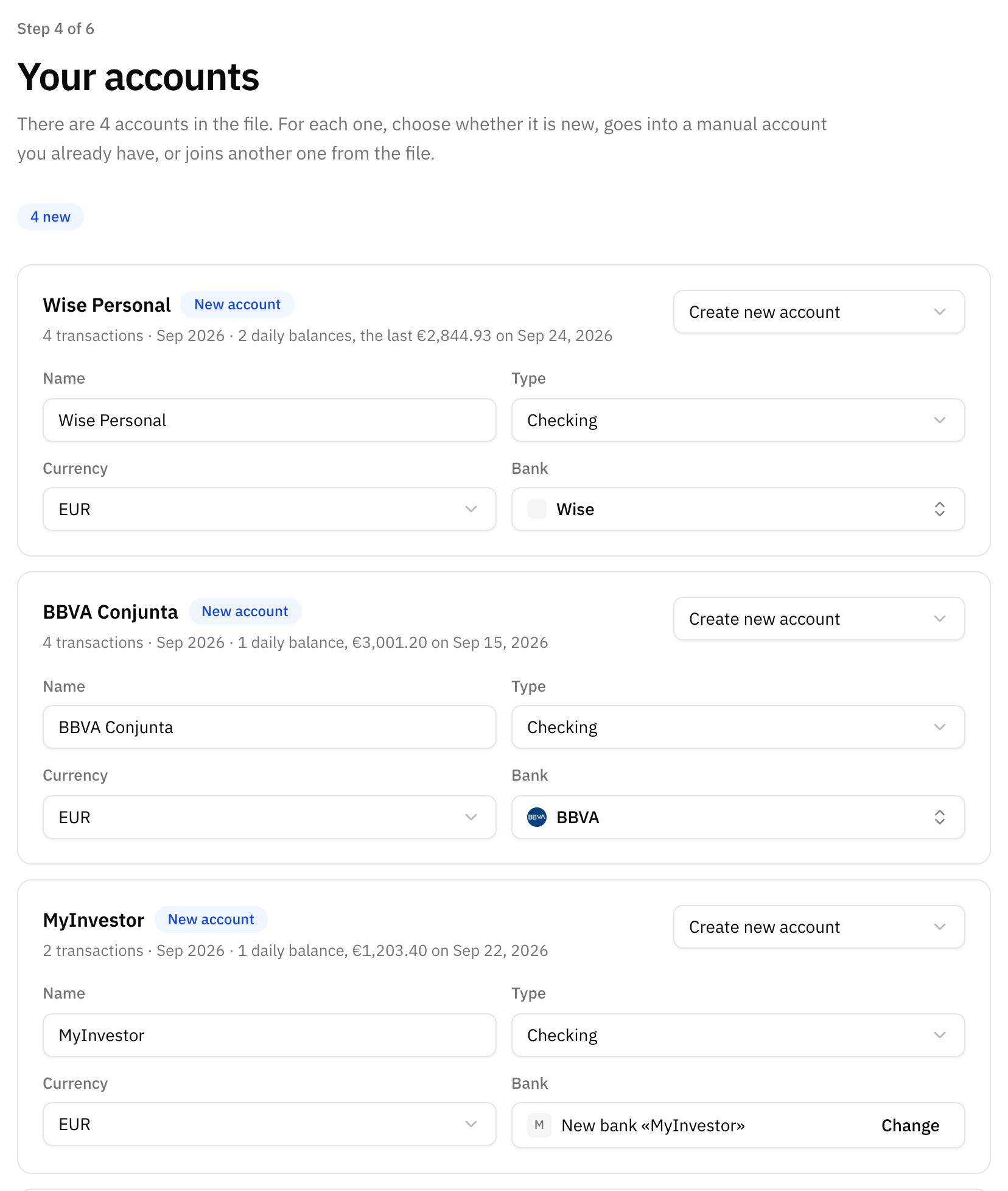
Banco holds the name you gave each account in Banktrack, so each different value becomes one account: "BBVA Conjunta", "Wise Personal", "Cash".
Producto - Nombre could tell apart two accounts at the same bank, but Banktrack does not always fill it in, so the same account can come with and without it. That is why splitting by it is off. Turn on Also split by «Producto - Nombre» only if you have several accounts at one bank.
Each account gets a bank from our list when its name matches one. When it does not, Whisper Money creates a bank of your own with that name, which you can change. Cash accounts get no bank. Accounts named like one of your manual accounts go into it unless you choose otherwise, and an account you have connected is never touched: its Banktrack history goes into a separate manual account.
Categories, own transfers and ignored rows
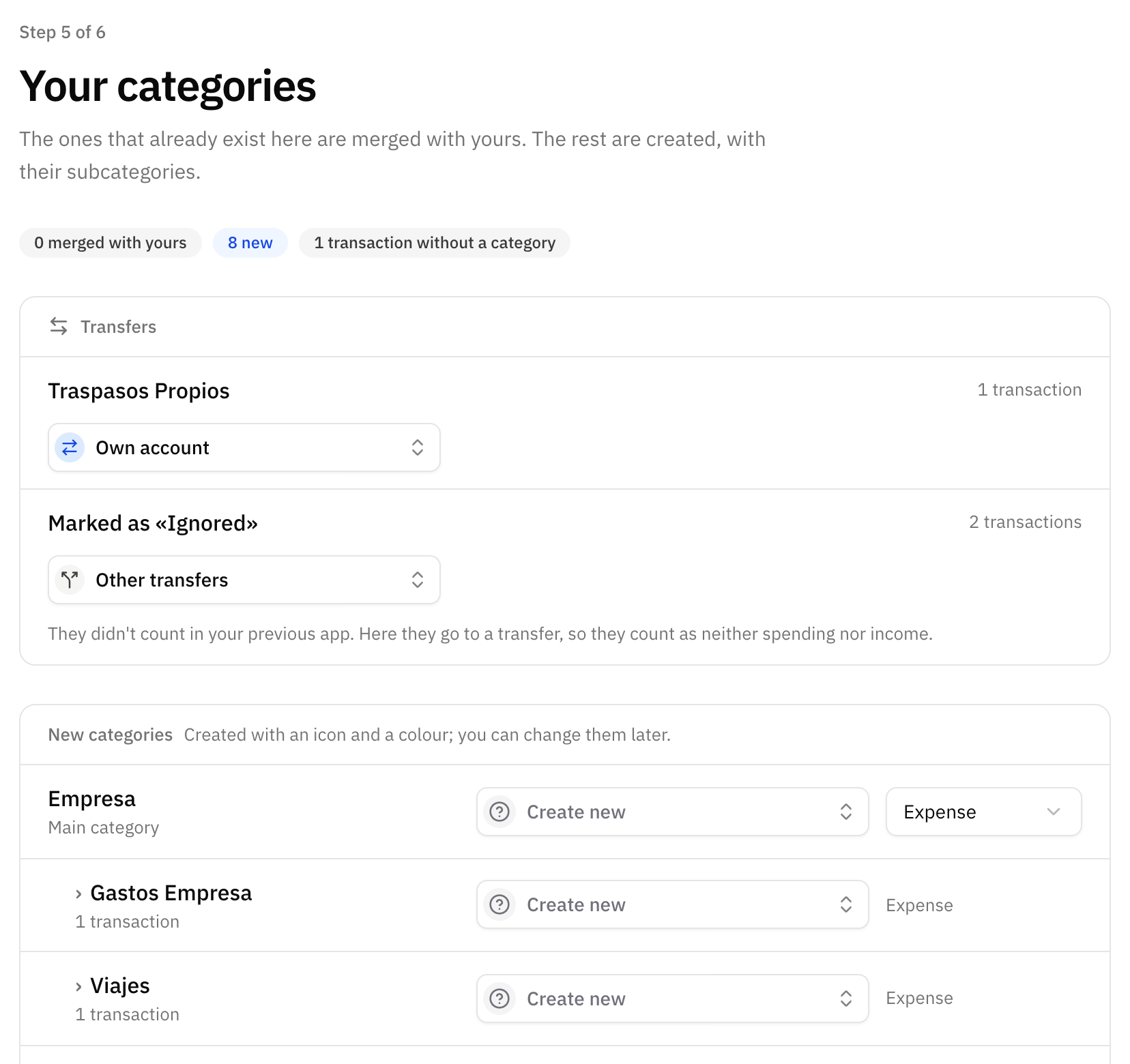
- Categorías with a comma become a category and its subcategory: "Empresa, Gastos Empresa" is Empresa › Gastos Empresa. Names you already have are merged with yours.
- Traspasos Propios, Banktrack's transfers between your own accounts, go to your Own account transfer category.
- Rows with Ignorada set to TRUE were left out of Banktrack's totals. Here they go to a transfer category, Other transfers unless you choose another, so they count as neither spending nor income.
Importing a newer export
Banktrack gives every transaction its own ID, and Whisper Money keeps it. If you keep using Banktrack for a few more days and export again, importing the new file brings in only the transactions that were not there yet, as long as the full import is still open to you.
FAQ
Which date is used, Fecha or Fecha de ejecución?
Fecha, the date of the transaction. Choose Fecha de ejecución in the Date field if you prefer the date it was carried out.
I flipped the sign of some transactions in Banktrack. Is that kept?
The Signo cambiado column is not read: each amount comes in exactly as the Importe column has it. Check the preview in the columns step before you continue.
Are my contacts and invoices imported?
No. The Contacto, Archivos and Facturas columns stay in Banktrack.
The file has blank rows in the middle. Is that a problem?
No. Blank rows are skipped, and the preview tells you how many.