Import balances
Bring a whole history of balances into an account from a CSV or Excel file, so the net worth chart goes back as far as your records do.
When this is the right tool
An account you keep by hand has no balance history until you give it one. Entering one figure a month by hand works, but if your bank or broker can export a statement of balances, importing it is faster and reaches further back.
Balances are separate from transactions: importing transactions does not set balances unless the file happens to carry a running balance column.
A connected account offers this too. Importing is how its history reaches back past the day you connected it, since a bank sends little of what came before. Dates from today on are the exception: every sync writes today's balance again, and any later date once that day arrives, so those rows get replaced.
Where to find it
The Import balances button on the account page. On a real estate account it reads Import market values, and on a loan Import owed amounts — the same drawer, named after what that account holds.
What the file needs
Two columns are enough: a date and a balance. Investment, retirement and savings accounts can also map an invested amount, which is what you put in as opposed to what it is worth now.
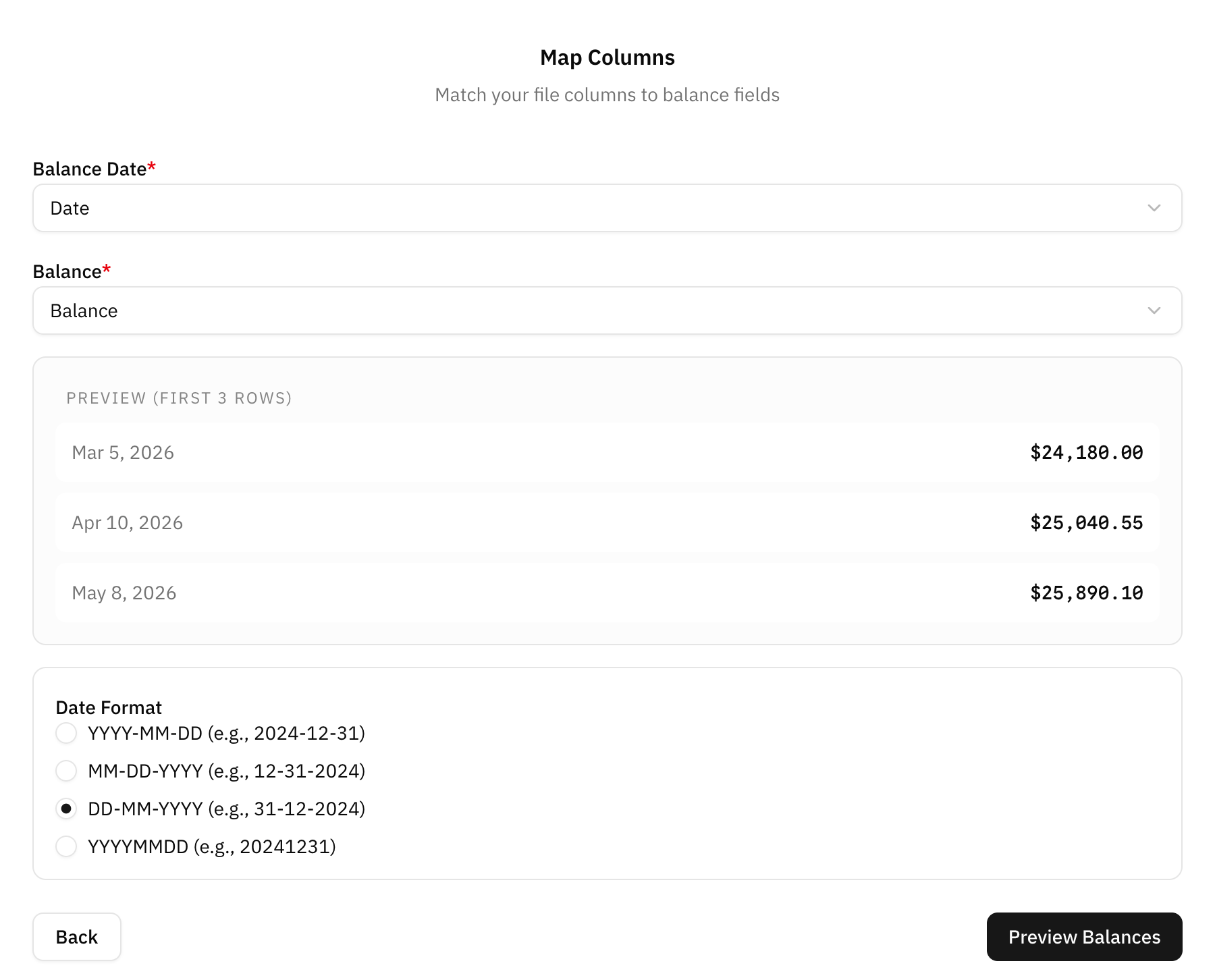
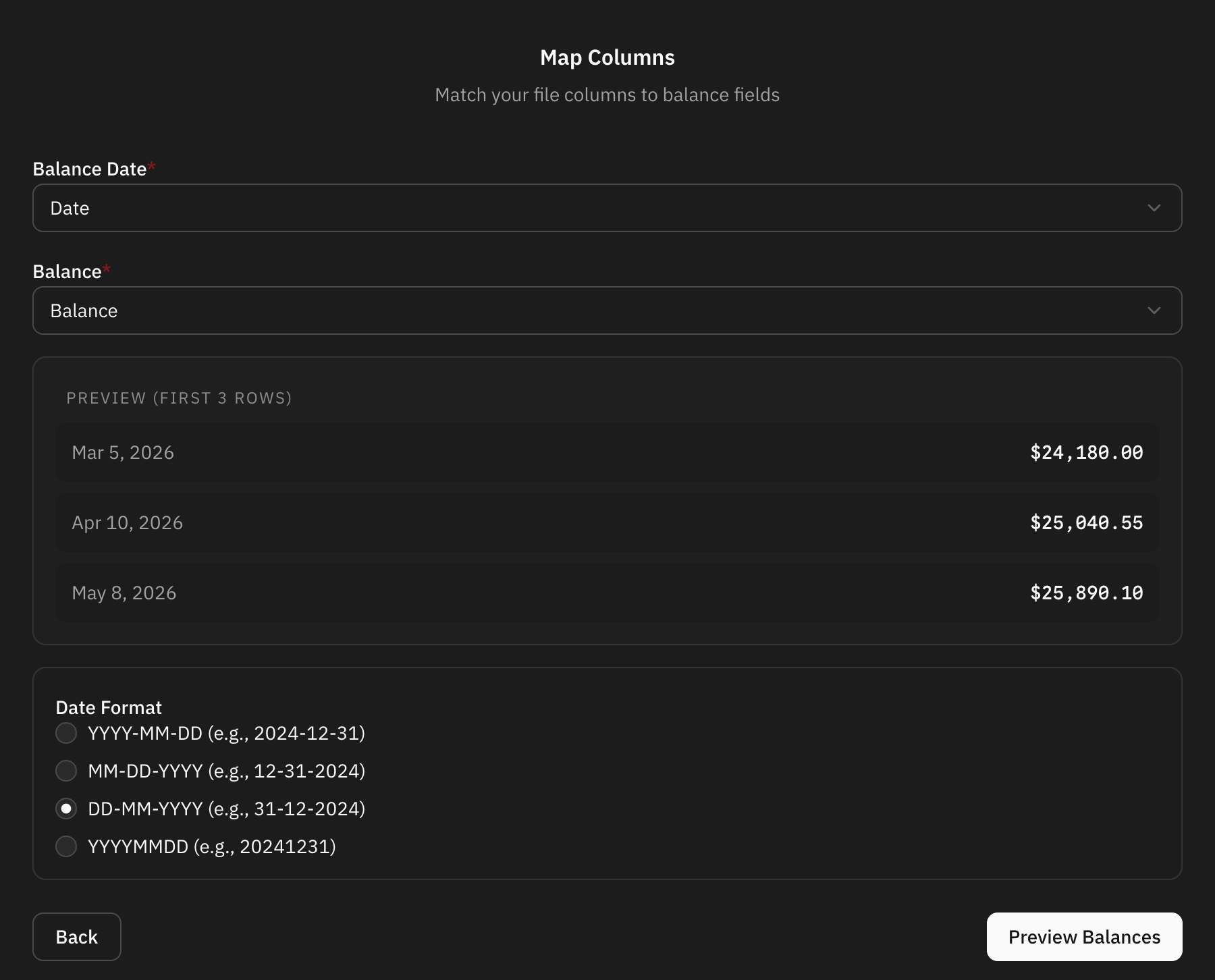
Dates are read without asking when the file leaves no doubt, as 2026-03-31 does. When it does read two ways — 03/04/2026 is the 3rd of April or the 4th of March — you are asked which, rather than guessed at: getting that wrong moves a year of history.
The preview step shows the first rows as they were read. If the dates or the amounts look wrong there, go back and change the mapping rather than importing and fixing afterwards.
After importing
The account's balance chart and its contribution to net worth are redrawn from the balances you imported. One balance per date is kept, so importing a file that overlaps a period you already had replaces those dates rather than doubling them.
Rows that could not be read are listed by row number when the import finishes, with what was wrong. Fix them in the file and import it again.
FAQ
Do I need one row per day?
No. Balances are read as the value on that date, and the chart joins them. Monthly rows are enough for a net worth chart that reads well.
Can I import balances for several accounts in one file?
No. An import goes into the account you chose. Split the file per account.